The call comes in and you already know what it means. Your client is at the pharmacy counter. Their prescription was rejected. They don't have insurance, or the coverage they have isn't working, and they can't pay out of pocket. They need their medication — today — and they're calling you to figure out what to do.
This is one of the most common urgent problems in personal injury case management, and there's a clear decision tree for handling it. Here's how to diagnose the situation and get your client their medication as quickly as possible.
Step 1: Figure Out Why the Prescription Couldn't Be Filled
The reason matters because the fix is different depending on the cause. Before you can solve the problem, you need to know which problem you're actually solving.
If the client has a lien card that was rejected
This is usually a technical issue, not a coverage issue. The most common causes are:
- The pharmacy entered the card details incorrectly. BIN, PCN, and Group numbers need to be entered exactly as printed. Ask the client to confirm the pharmacist re-entered all three fields carefully — this resolves the majority of rejection calls.
- The card isn't activated yet. Log into your lien provider's portal and check the card status. If it shows inactive, you may be able to reactivate it directly in the portal. If not, contact the provider immediately — this should be resolvable same-day.
- The spend limit has been reached. Check the running balance in your portal. If the client has hit their cap, you can typically increase the limit directly in the portal and the card will process on the next attempt.
- The medication isn't on the formulary. Check the provider's formulary in the portal. If the drug isn't covered, you may be able to submit a coverage exception request — or the prescribing physician may be able to substitute a covered equivalent.
Portal first, phone second. If your lien provider has a real portal, most lien card rejections can be diagnosed and resolved in under five minutes without calling anyone. If you're calling every time, that's a signal about your provider — not your process.
If the client has no coverage at all
If this client was never enrolled with a lien provider and has no insurance, you're not troubleshooting — you're setting up coverage from scratch. That's a different problem with a different solution (see Step 3 below).
If the client has health insurance that was rejected
The pharmacy may have billed the wrong plan or used outdated insurance information. Have the client confirm their current insurance card details with the pharmacist. If the insurer is disputing injury-related coverage, the health plan is still generally obligated to cover the prescription — the dispute is about who ultimately pays, not whether the prescription gets filled today. Your client's health attorney or a benefits specialist can assist if the insurer is refusing outright.
Step 2: Get the Prescription Filled Today
While you're working the longer-term fix, your client is still at the pharmacy or sitting at home in pain. Here are the fastest paths to getting the prescription filled in the immediate term:
GoodRx or discount card
For lower-cost generic medications, GoodRx or similar discount programs can dramatically reduce the out-of-pocket price — sometimes to under $10 for common generics. This isn't a solution for expensive brand-name drugs, but for standard pain management medications, muscle relaxers, or anti-inflammatories, it can bridge a same-day gap while you sort out the underlying coverage issue. The client pays out of pocket and keeps the receipt for potential reimbursement later.
Samples from the prescribing physician
Many physicians keep samples of commonly prescribed medications on hand. A quick call to the treating physician's office explaining the situation may result in enough samples to cover the client for several days while you get proper coverage in place. This works best for medications the doctor prescribes regularly and is most practical when you have an established relationship with the provider's office.
Emergency enrollment with a lien provider
If the client isn't currently enrolled with a lien provider, same-day enrollment and activation is available with providers like CreoRx. Enrollment takes about five minutes through the attorney portal and cards activate within 30 minutes — meaning a client who calls at 10am can have a working lien card by 10:30 and be back at the pharmacy before noon.
Step 3: Prevent It From Happening Again
A single pharmacy rejection is an inconvenience. A pattern of pharmacy rejections is a case management problem — and a case quality problem, because clients who can't reliably fill their prescriptions develop gaps in their treatment record that weaken the case at settlement.
The systemic fix requires addressing the root cause:
If the client doesn't have a lien card
Enroll them today. Don't wait for the next rejection. For any client who lacks adequate prescription coverage, pharmacy lien enrollment should happen the same day the file is opened — not reactively, after a problem surfaces. Building this into your intake checklist eliminates the category of "client who never got set up" entirely.
If the client has a lien card but rejections keep happening
The issue is almost certainly one of three things: the client is presenting at pharmacies that aren't in the network, the spend limit keeps getting reached without proactive monitoring, or the card information the client has on hand is incorrect or outdated. All three are fixable with better systems — a portal that surfaces spend limit alerts before the card is declined, and a clear one-page reference card for the client showing exactly how to present the card and what information to give the pharmacist.
If your current lien provider makes this hard to manage
If diagnosing a rejection requires a phone call to the provider every time — because there's no portal visibility into card status, spend limits, or fill history — that's a provider problem, not a process problem. The calls will keep coming as long as the information lives in the provider's system instead of your portal.
"The rejection call is the symptom. The cause is almost always that coverage wasn't set up at intake, or that there's no visibility into what's happening with the card between fills."
Quick Reference: Rejection Scenarios and Fixes
For case managers who want a fast decision guide for the most common scenarios:
- Card rejected — data entry error: Have pharmacist re-enter BIN, PCN, Group exactly as printed on card.
- Card rejected — inactive: Check portal, reactivate if possible, contact provider if not. Same-day resolution expected.
- Card rejected — spend limit reached: Increase limit in portal. Card should process immediately after.
- Card rejected — drug not on formulary: Check formulary in portal, submit exception request or ask prescriber for covered substitute.
- No lien card, client uninsured: Enroll in CreoRx portal now. Card active in 30 minutes.
- No lien card, bridge needed today: GoodRx for generics, or physician samples while enrollment processes.
- Health insurance rejected: Confirm current card details with pharmacist. If insurer disputing injury coverage, health plan still generally obligated to cover — escalate if refused outright.
How CreoRx Supports Faster Resolution
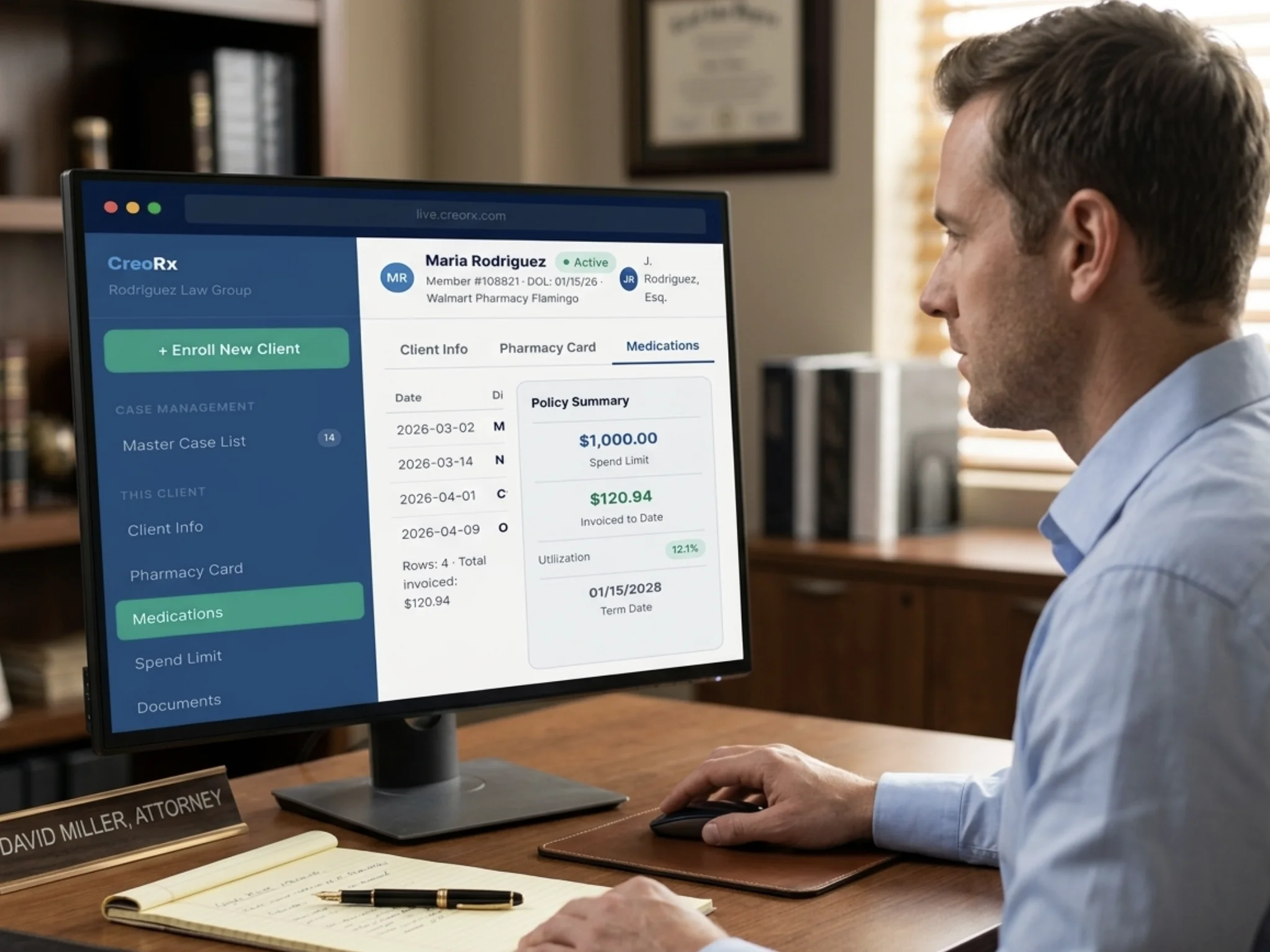
The speed at which you can resolve a pharmacy rejection depends almost entirely on the tools you have available. With CreoRx, case managers can see card status, fill history, and spend limit in real time — so when a client calls from the pharmacy, the diagnosis takes 30 seconds instead of a hold-music phone call. Spend limit increases take effect immediately in the portal. New enrollments activate within 30 minutes.
For firms that handle this reactively today, the difference in client experience — and in case manager time — is significant from the first week of use.
Resolve pharmacy rejections in minutes, not hours
CreoRx gives case managers real-time portal visibility so the next time a client calls from the pharmacy, you can fix it before they hang up.
Book a Demo →